Guide · Marketing
27 Translate the verification page
Show the product page in your customers' languages. AI drafts the translation; you check it and save.
Ten rozdział nie jest jeszcze dostępny w wersji językowej (Polski), więc czytają Państwo wersję angielską.
- Open the asset and go to the Templates tab. Save the verified page template first if you changed it.
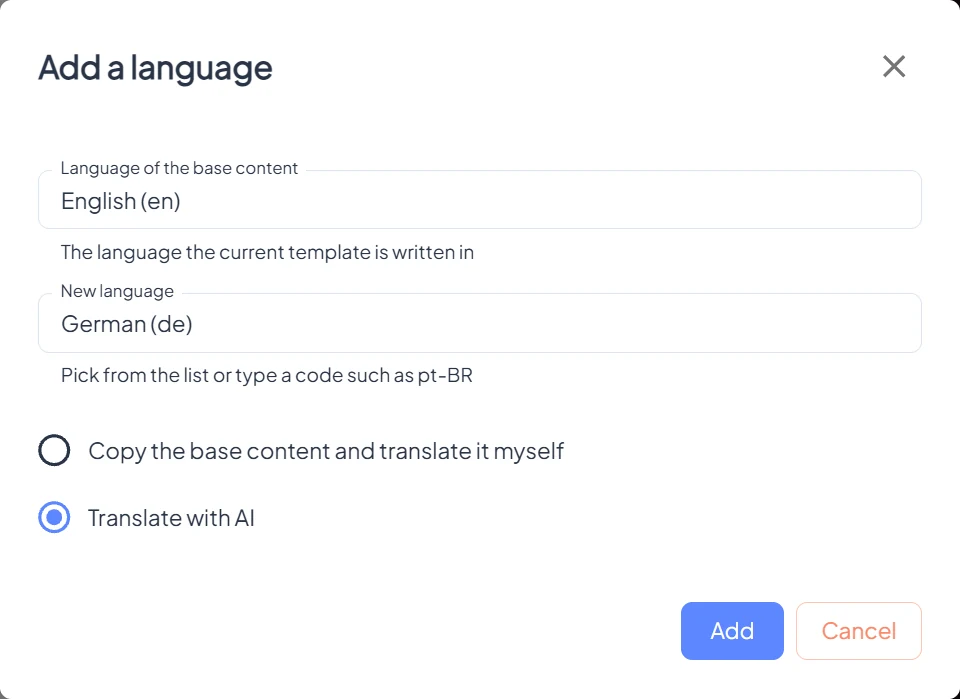
- In the Languages bar under the template, click Add language.
- The first time, set the Language of the base content: the language the template is written in now.
- Choose the New language from the list, or type a code such as
pt-BR. - Pick Translate with AI, or Copy the base content and translate it myself, and click Add.
- Open the new language and click Edit to check product names, claims and legal texts. Save.
- Do the same for the unverified page and for every auth template and failed page rule your customers may see.
- Test it: set your phone or browser to that language and scan a product.