Analytics
6 Verifications
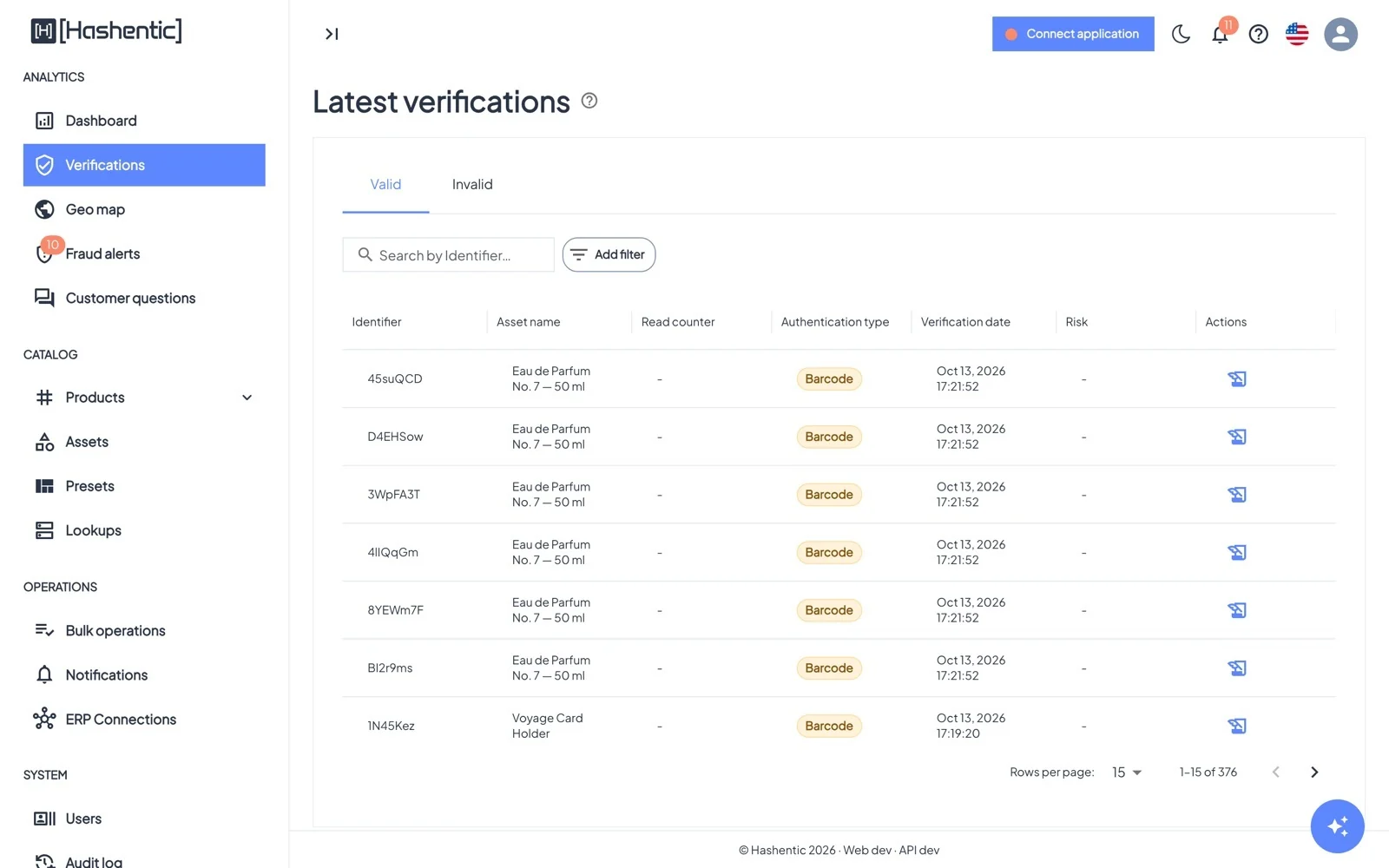
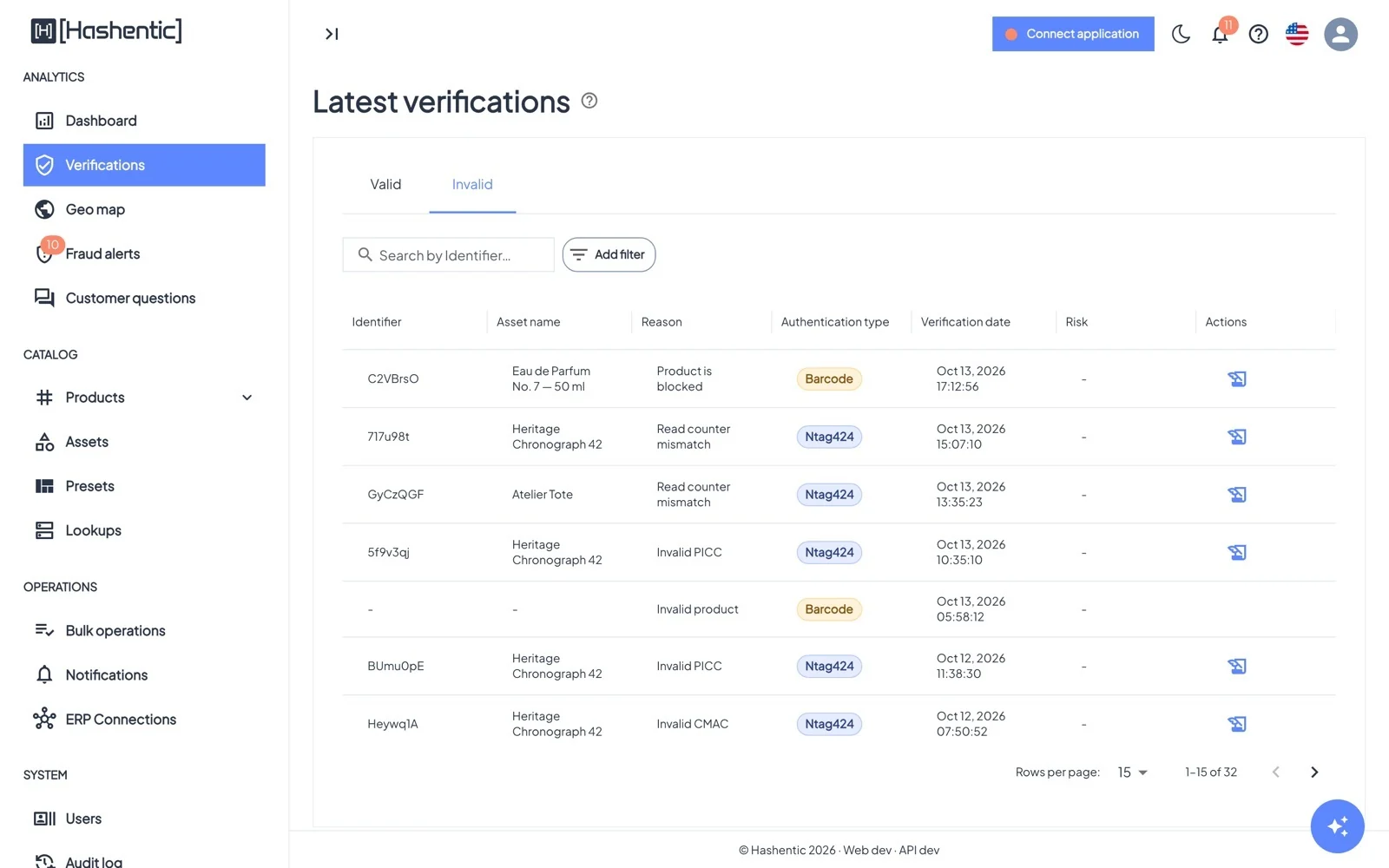
The log of scans. Valid shows genuine checks, Invalid shows every scan that failed and why.
Dieses Kapitel ist noch nicht in Deutsch verfügbar, daher lesen Sie die englische Version.
Columns#
- Identifier and Asset name of the product.
- Read counter of NFC tags, which rises with every tap ("–" for barcodes). On the Invalid tab this is the Reason.
- Authentication type: Ntag424, Ntag215, Em4425 or Barcode.
- Risk: VPN, Proxy, Tor or Threat when the scan came from a flagged network.
Finding scans#
- Search by identifier, or use Add filter: Identifier, UID, Authentication type, Verification date, Asset name, Country code, and on the Invalid tab, Reason.
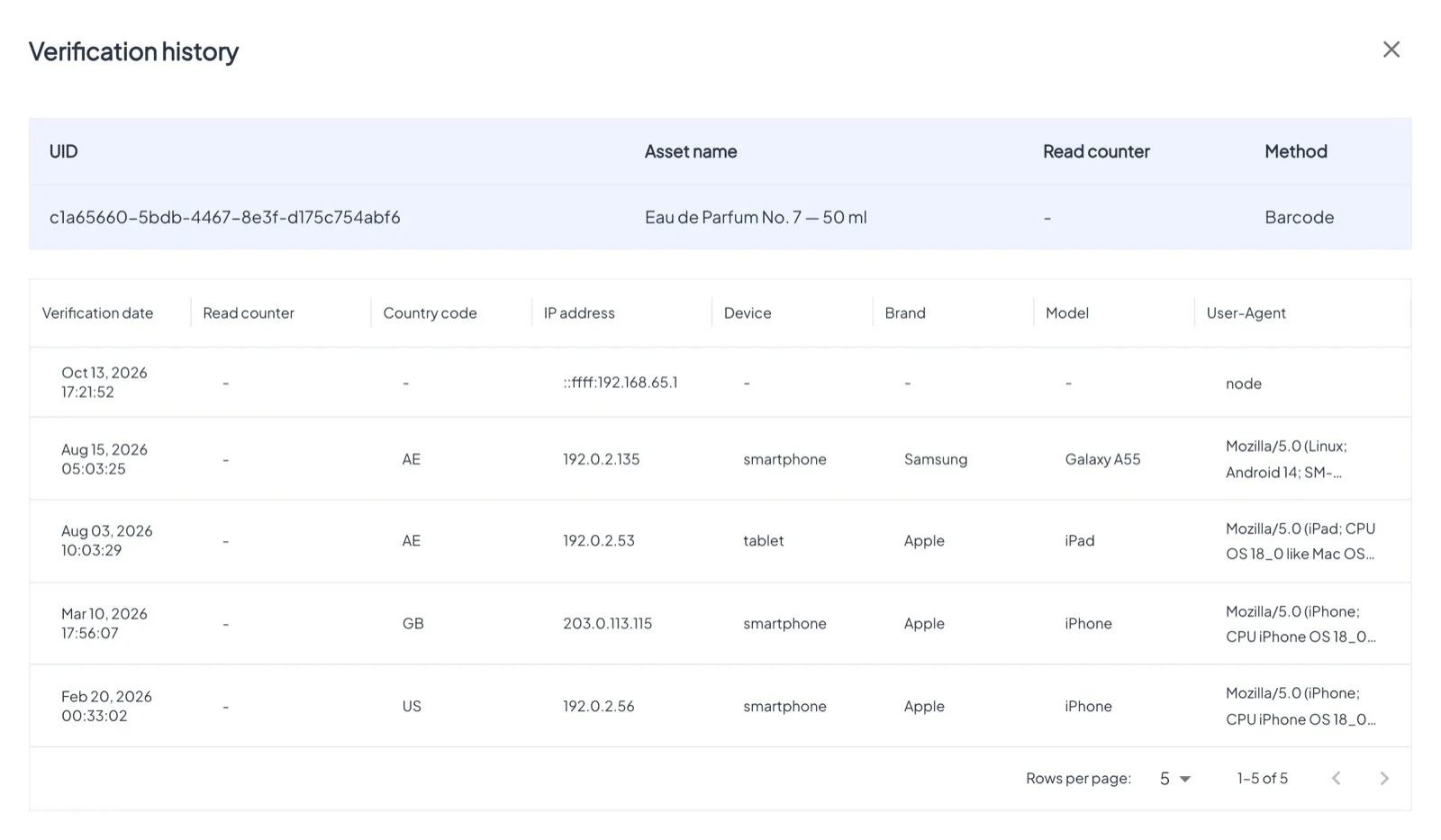
- Click a row for Verification info: country, IP address, device, brand, model, browser and the product's field values.
- The clock icon opens the Verification history of that tag or code: every scan, in order.