Resale with a recorded history
When an item is sold on, the current owner passes it to the buyer, who then holds it in their own owner portal. Every registration and transfer stays in the item's ownership history.
OWNER REGISTRATION & TRANSFER
Tap the item
Confirm the buyer
Owner portal
The owner proves possession by tapping an NTAG 424 DNA or EM4425 tag. A scan alone never registers anyone.
Product ownership links each NFC-tagged item to the person who bought it. Register the owner at the till, by an invitation after an online sale or with an owner card in the box. Owners keep their items in a portal on your domain and can pass them on to the next owner.
When an item is sold on, the current owner passes it to the buyer, who then holds it in their own owner portal. Every registration and transfer stays in the item's ownership history.
Service and warranty teams see the registered owner of an item instead of relying on a receipt. Workflows can send new owners and transfers to your CRM or warranty system.
Owners sign in on your domain, see their items with photos and get e-mails with your logo and brand colour. You know who owns each registered item, also after a resale.
Staff tap the item's tag with the mobile app or the desktop reader and enter the buyer's e-mail. The buyer reads out the 6-digit code from the e-mail, and the owner is registered.
Send the buyer an invitation e-mail. The buyer signs in to your owner portal and taps the item with a phone to complete the registration.
Put a one-time owner card in the box. The buyer taps the item, signs in and enters the code from the card. Cards can be exported for a whole product line.
My items shows each item with its photo. Owners sign in with a code from their e-mail plus a passkey or an authenticator app, get 10 recovery codes and can use the portal in 8 languages.
An owner can pass an item on to a new owner, for example after a resale or as a gift. The item moves to the new owner's portal, and the transfer is recorded.
An owner who lost access to their e-mail taps the item and sends a recovery request. Your staff review it; the old address gets a notice and 7 days to object before the change.
Revoke the ownership of a returned item with a reason that stays in its history, then register the item to its next owner.
Shopify, WooCommerce and Shopware can send the buyer an owner invitation when the order is fulfilled. You opt in, and the buyer's e-mail is shared only for the invitation.
Start workflows on owner registered and ownership transferred, use the Zapier triggers New Owner Registered and Ownership Transferred, or let AI assistants connected over MCP read ownership summaries and events.
Take the catalog with you. Find a product, update its record, write a tag and verify it in one mobile workspace.
iPhone app on the App Store. Android app on Google Play or as an APK download. Download APK for Android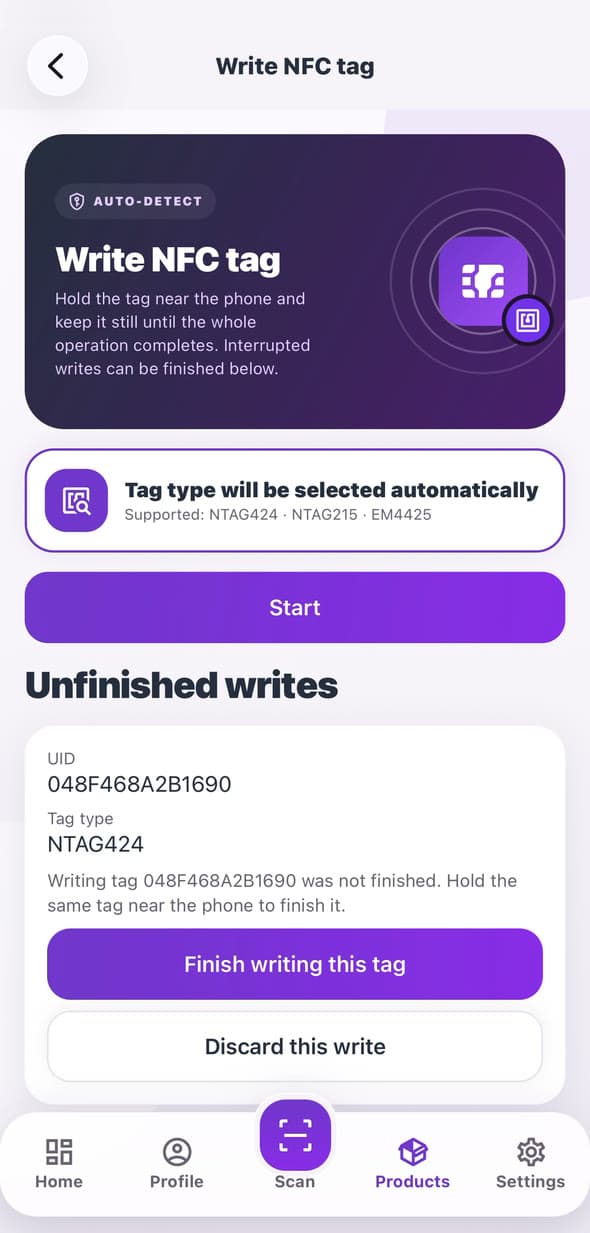
Luxury goods, fashion, sneakers, watches, collectibles and electronics have second-hand markets, warranties and service histories. A registered owner gives each item a record that follows it from the first sale to the next owner.
In one of three ways: staff register the buyer at the till with a tap of the item and a 6-digit code from the buyer's e-mail; the buyer accepts an invitation e-mail, signs in and taps the item; or the buyer uses a one-time owner card from the box. A scan alone never registers an owner.
NTAG 424 DNA or EM4425. These secure tags give a cryptographic response that Hashentic checks, so a tap shows that the person holds the item. Static NFC tags and QR codes can be copied and are not used for ownership.
Yes. The owner transfers the item to a new owner, who then holds it in their own owner portal. Workflows and Zapier can react to every transfer.
The owner taps the item and sends a recovery request with a new e-mail address. Your team reviews it; after approval the old address gets a notice, and the change takes effect after 7 days unless someone objects. The items stay with the account.
No. The owner portal opens in the phone's browser on your domain. Staff register owners at the till with the Hashentic mobile app or with the desktop utility and an NFC reader.
Product ownership is included in Business and Enterprise and in the free trial, and is a €59/month add-on on Pro. It is not available on Free and Start. With Shopify billing it is included in the Business plan only.