Operations
17 Bulk operations and ERP
Large jobs run in the background and are tracked here. ERP connections bring product data straight from your systems into the tag-writing wizard.
Este capítulo todavía no está disponible en Español, por lo que está leyendo la versión en inglés.
Bulk operations#
Licencia Bulk write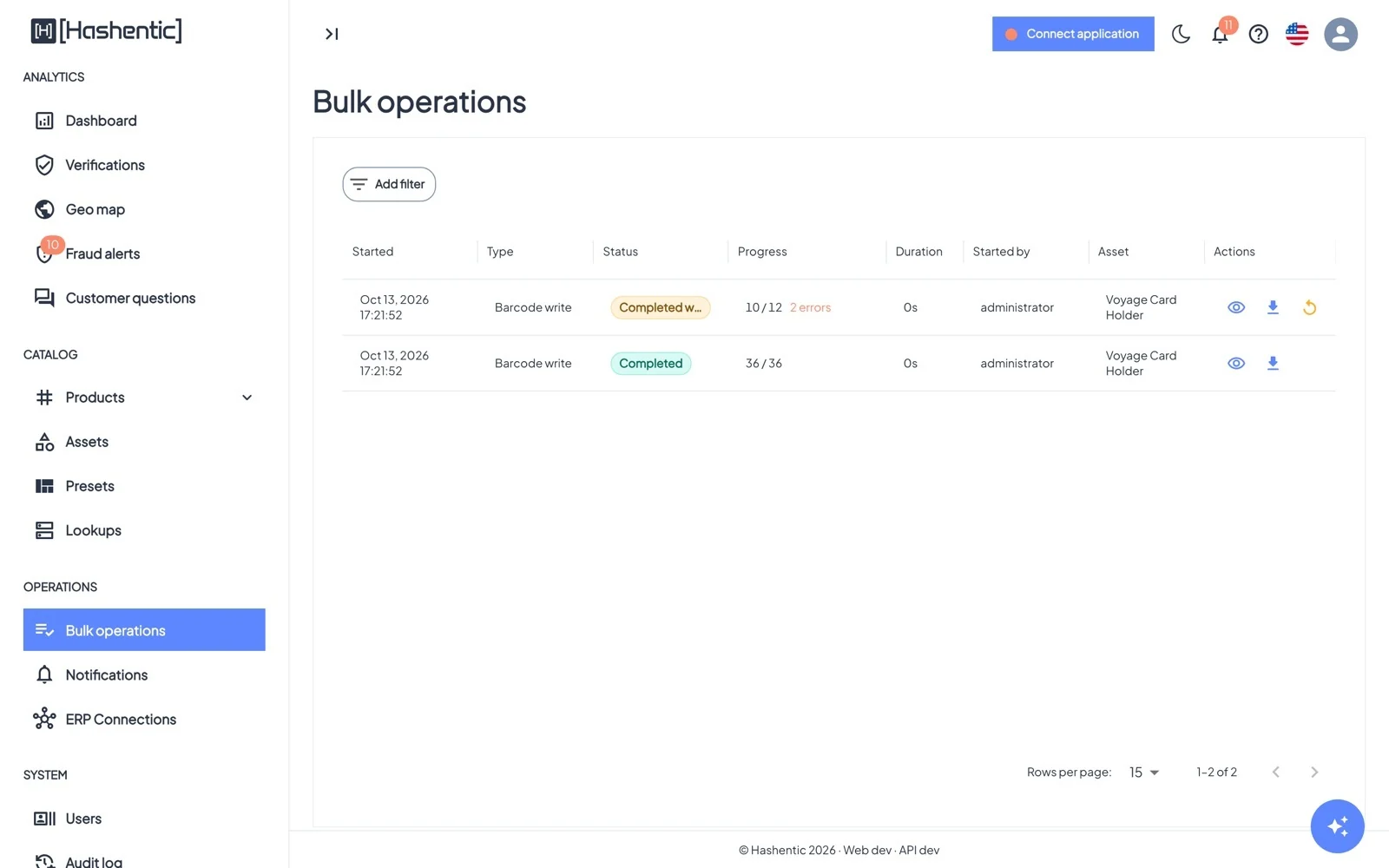
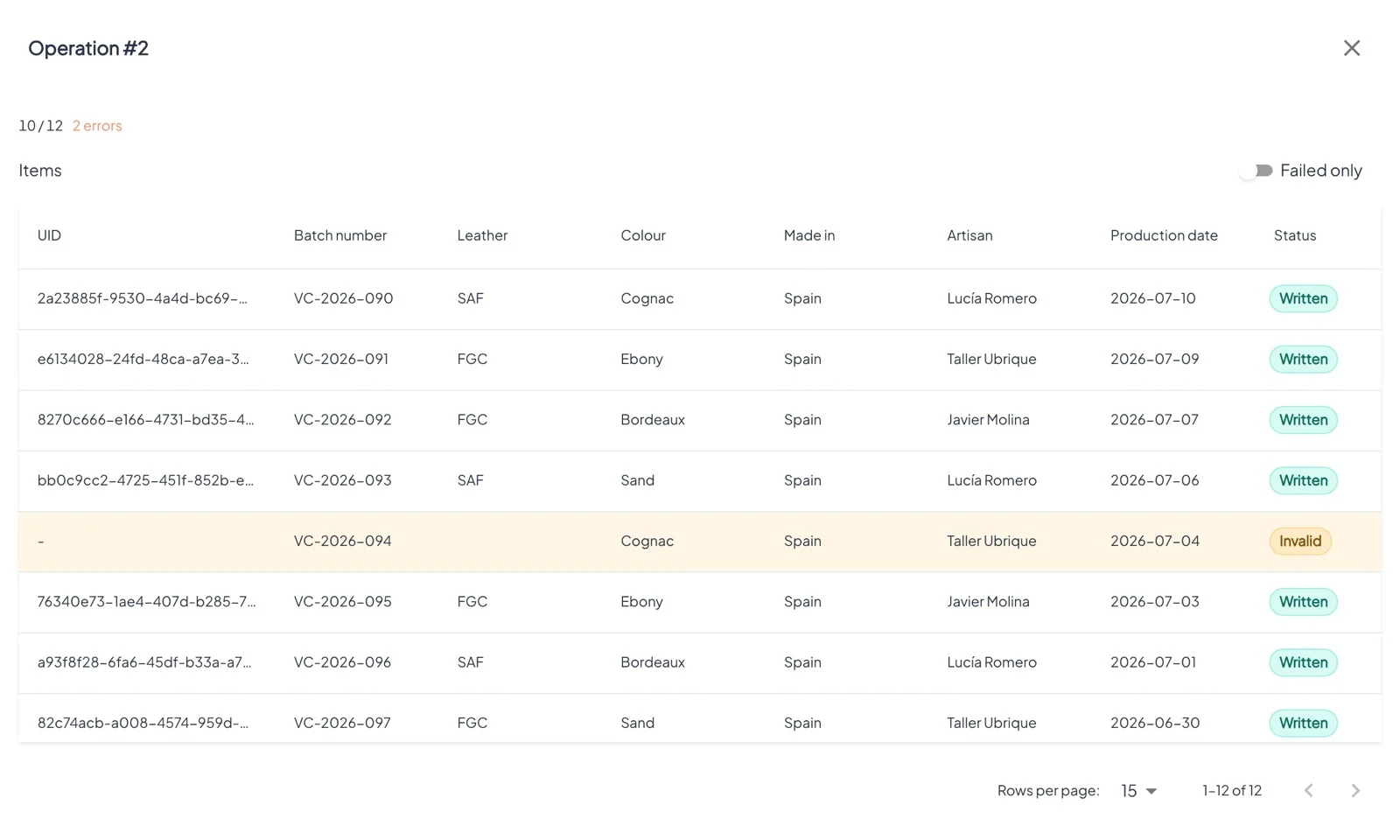
- Statuses: Pending, Running, Completed, Completed with errors, Failed, Cancelled.
- View details lists the items. Edit a failed row and retry it, or use Retry failed for all.
- Download barcodes exports the codes of a finished barcode run.
- Cancel stops a running operation; items already done are kept.
ERP connections#
Licencia Bulk write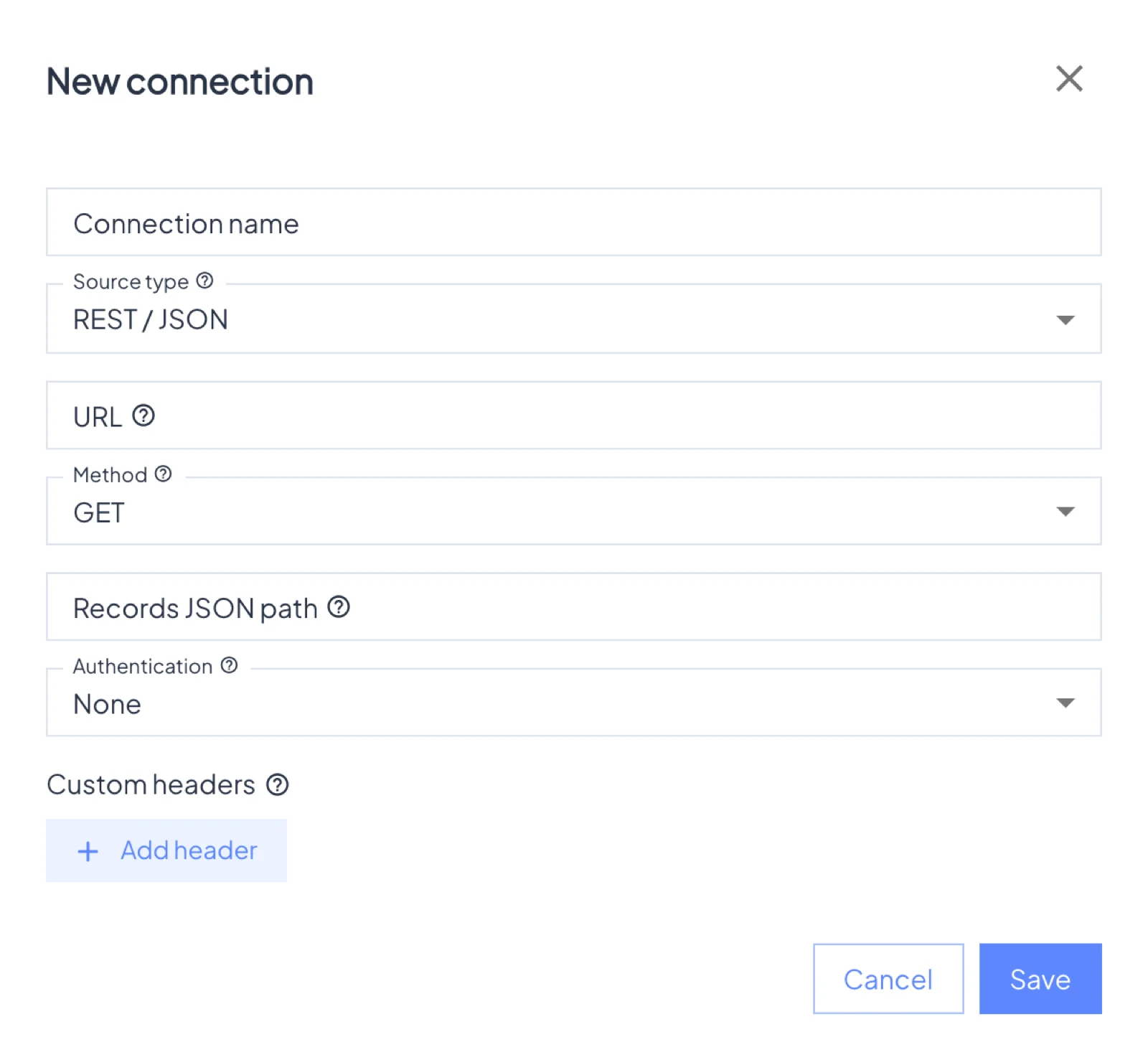
Save a reusable, read-only connection to your ERP or product database:
- REST / JSON, JSON-RPC and GraphQL APIs, with no authentication, a bearer token, basic authentication or an API-key header, plus custom headers.
- SQL databases: PostgreSQL, SQL Server, Oracle, MySQL/MariaDB, with a single read-only query.
- MongoDB, with a collection, filter and projection.
Secrets are stored encrypted and shown masked. Each connection belongs to the person who created it. Use it in Add new → Multiple mode → From ERP: Test / preview shows the first 50 records, Fetch records loads up to 100,000.
For security, connections to local or private-network addresses are refused.