System
20 Users and access
Give each person their own account, with exactly the permissions and product lines their job needs.
Este capítulo todavía no está disponible en Español, por lo que está leyendo la versión en inglés.
Límite number of users in your license
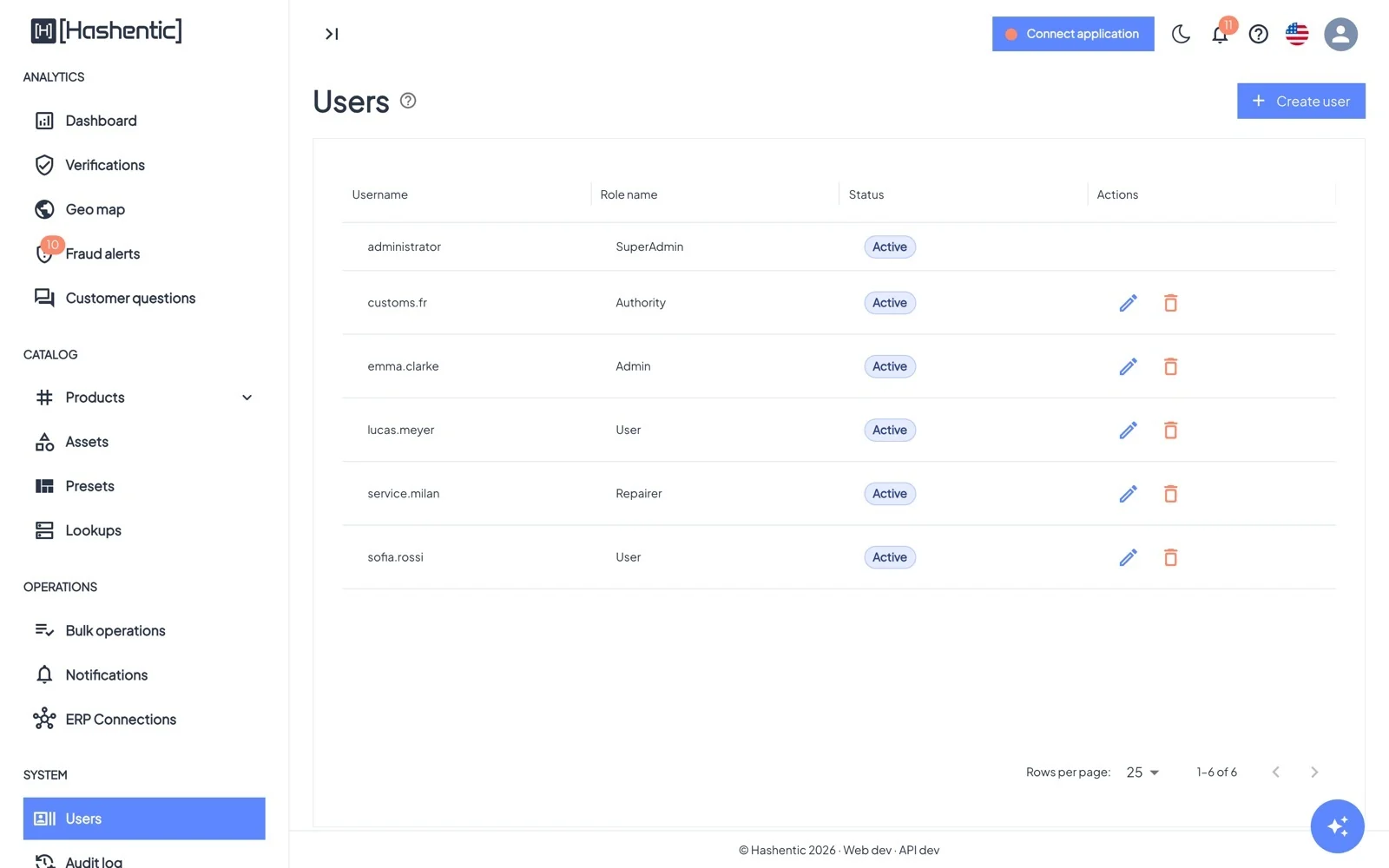
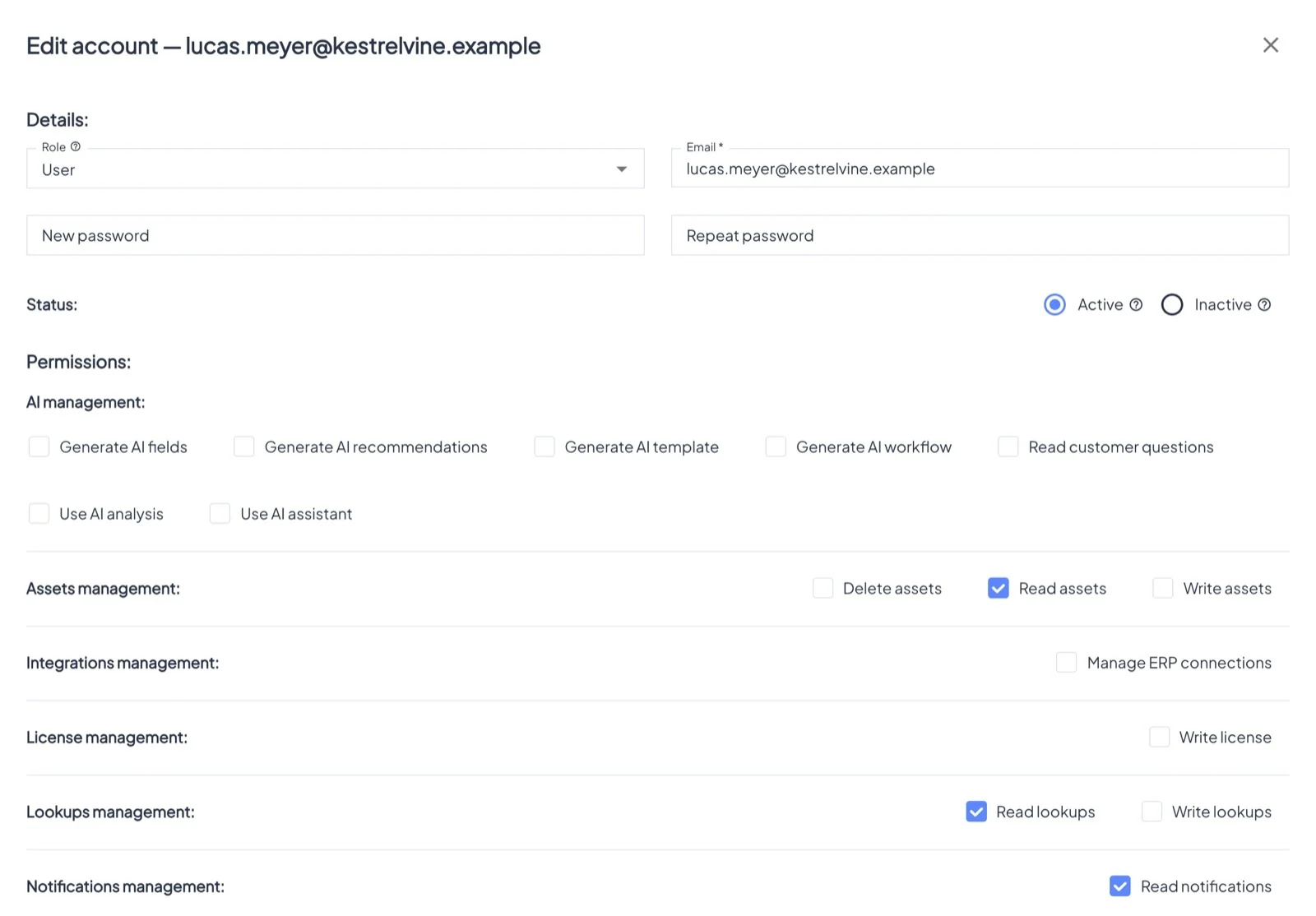
Create user asks for:
- Username and Email.
- Role: Admin, User, or a partner role (Authority, Recycler, Repairer). Permissions that come with the role are ticked and cannot be removed.
- Password: at least 12 characters with a letter and a digit. You set it and pass it on; no invitation email is sent.
- Status: Active users can sign in; Inactive users keep their data but cannot.
- Permissions, grouped by area.
- Allowed assets for roles that do not see everything.
To reset someone's password, type a new one when editing the account; this also signs them out. Nobody can give out a higher role or permissions they do not have themselves.