Analytics
7 Geo map
Every geolocated scan on an interactive world map, so you can see where your products are checked, and where copies surface.
Este capítulo todavía no está disponible en Español, por lo que está leyendo la versión en inglés.
Licencia Geolocation analytics
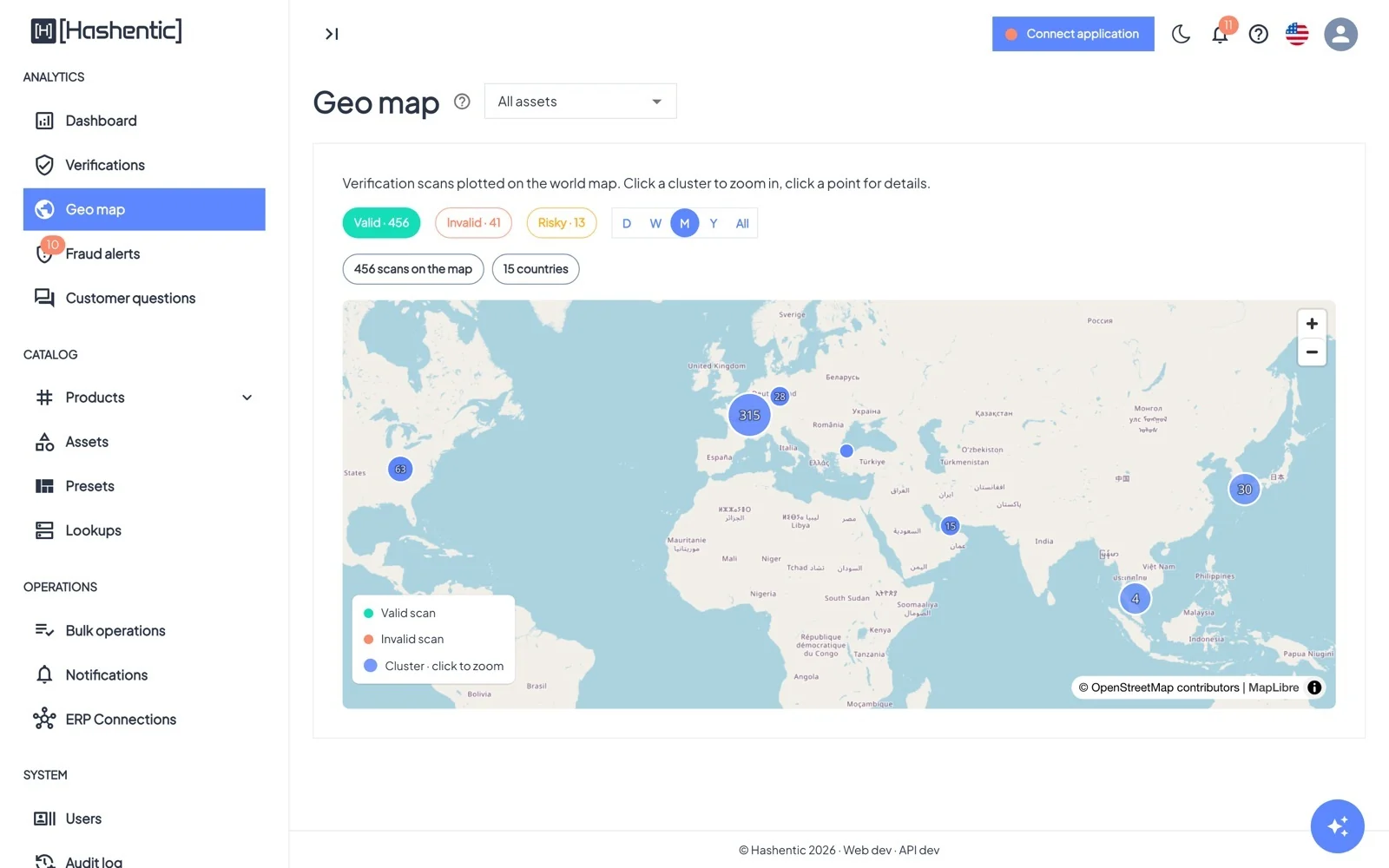
- Toggle Valid, Invalid and Risky scans. Invalid and risky (VPN, proxy, Tor, threat) scans are hidden until you switch them on.
- The chips above the map count the scans shown and the countries they come from.
- Choose the period (default M, the last month) and narrow to one asset.
- Click a point, then Click to see the list to open the scans behind it.