AI
19 AI features
AI helps in four places: it answers your customers, answers you, analyzes your scan data, and drafts configuration for you. It never changes data on its own.
Эта глава пока недоступна на языке: Русский, поэтому Вы читаете английскую версию.
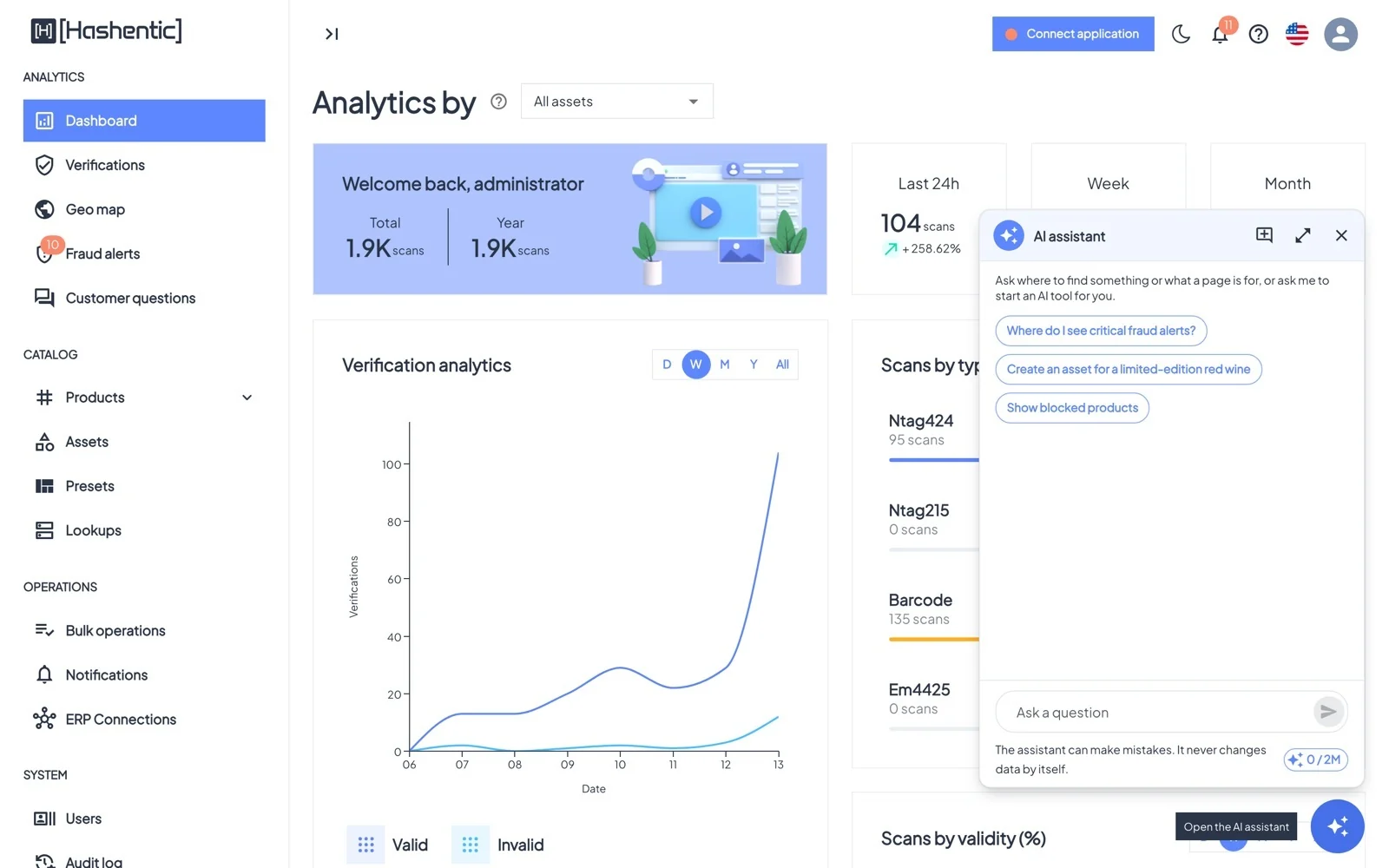
AI assistant#
Ask where something is or how to do it: "Where do I see critical fraud alerts?", "Show blocked products", "Make a workflow that emails me about failed scans". Answers come with buttons that open the right page or start an AI tool. On an asset or product page, the assistant also uses that line's documents.
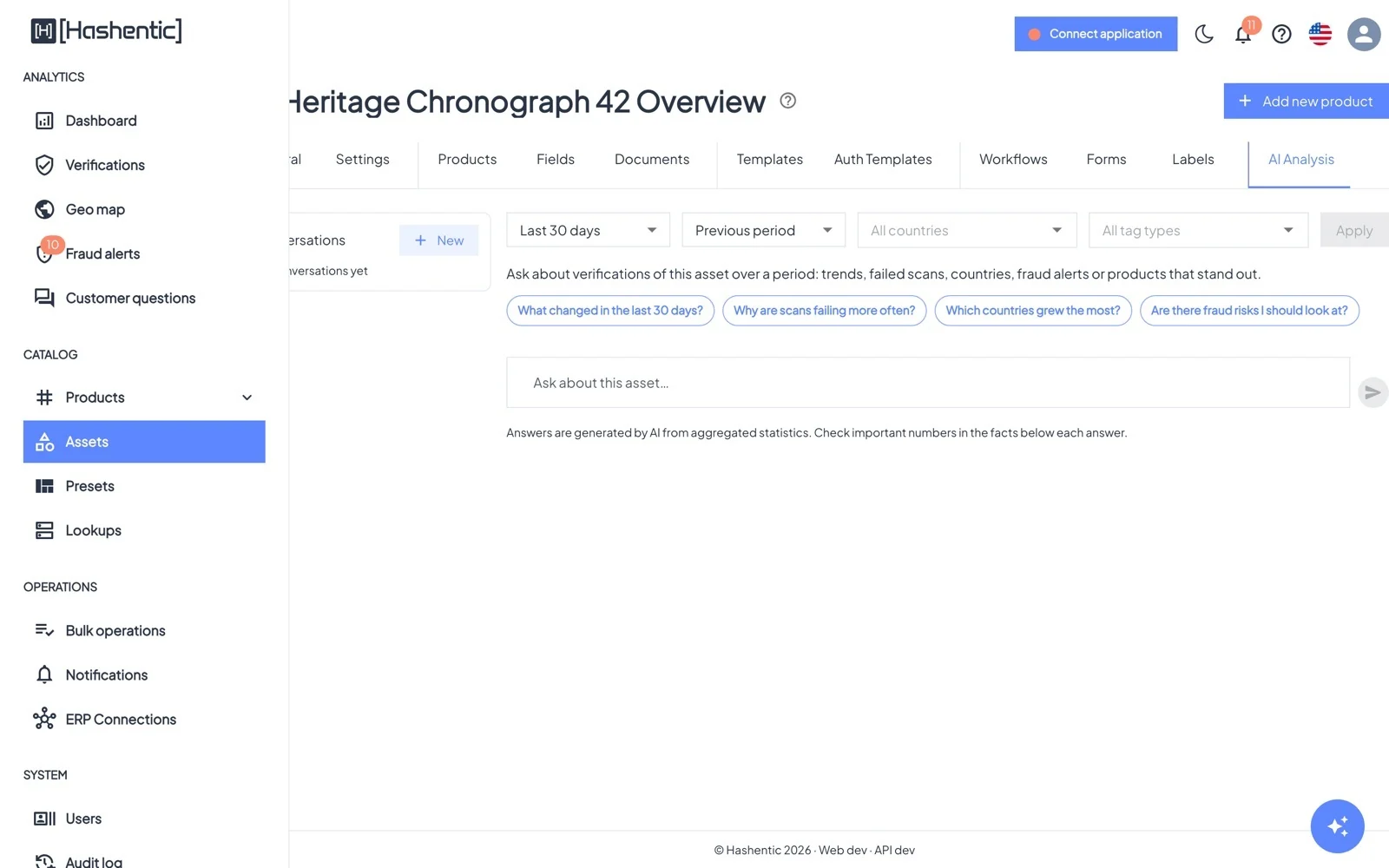
AI analysis#
The AI analysis tab on assets and products answers questions about your scans ("Why are scans failing more often?", "Which countries grew the most?") with findings, recommendations, a chart and the figures it used. Only aggregated counts, dates, country codes, rounded locations and product labels are sent to the AI service; IP addresses, browser details, form answers and owner data never are.
Answers for customers
Generators
Documents: what the AI knows#
Upload manuals, care instructions, warranty terms and certificates (PDF, DOCX, TXT or Markdown) at three levels: Settings → Brand documents for the whole brand, the asset's Documents tab for a product line, and the product's Documents tab for one item. Set each document's Audience:
- Internal only (default): used by the AI assistant and analysis for your team.
- Authorities, Recyclers, Repairers: for Digital Product Passport partners.
- Public: downloadable from the verification page, used for customer answers, and can get a permanent public link.
- Each document is indexed for AI; the status chip shows when it is Indexed and ready.