Operations · System
18 Notifications and audit log
Notifications tell you what needs attention; the audit log records who did what.
Эта глава пока недоступна на языке: Русский, поэтому Вы читаете английскую версию.
Notifications#
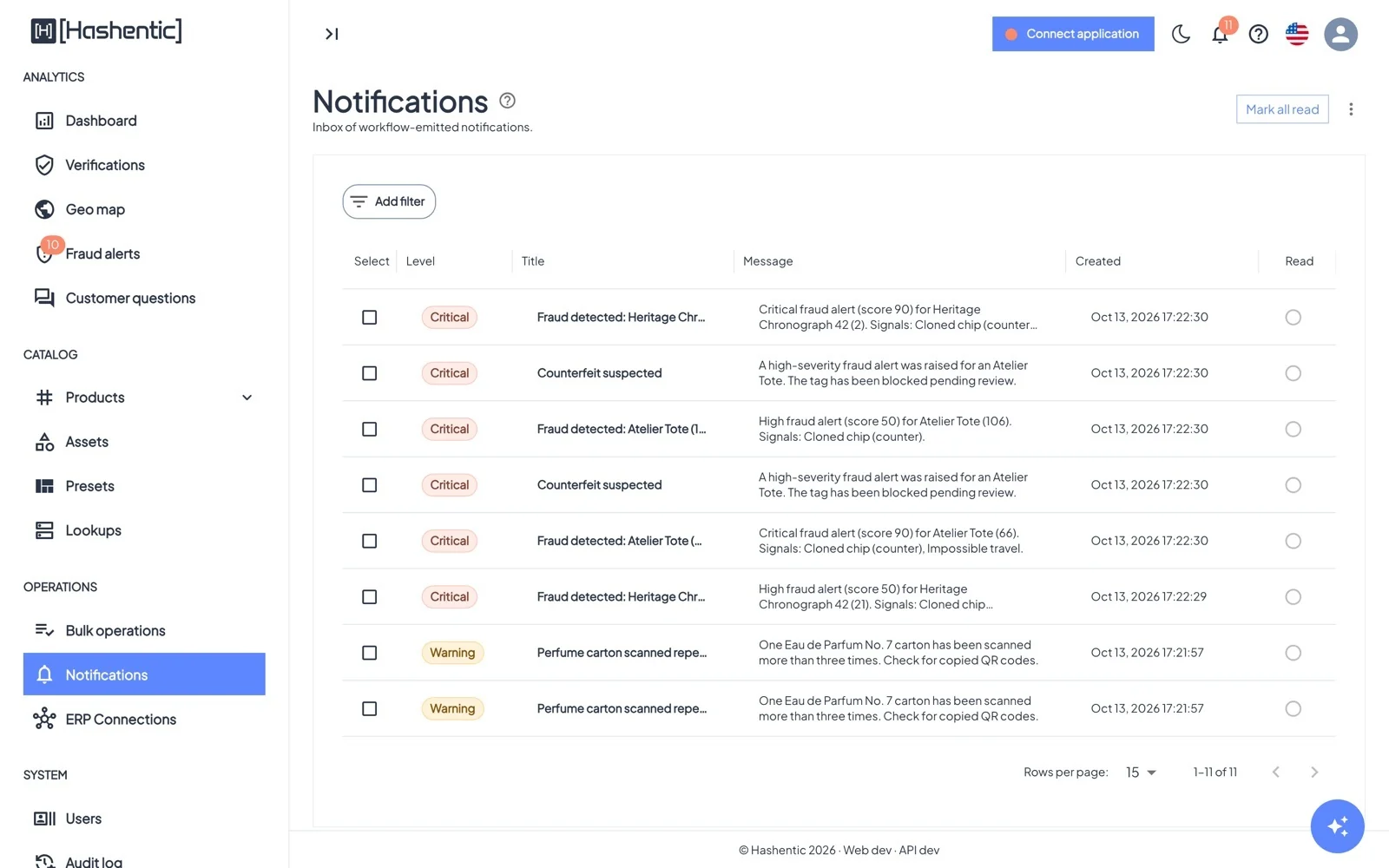
- System notifications: Fraud detected (High and Critical alerts), Counterfeit anomaly (a burst of failed scans), High verification count and License expires in N days.
- Filter by Unread only and date; mark read, or select and delete.
- Workflow notifications with your own title and text.
- Open a notification to see its details, the product, and the workflow run that sent it.
Audit log#
Доступ Super User only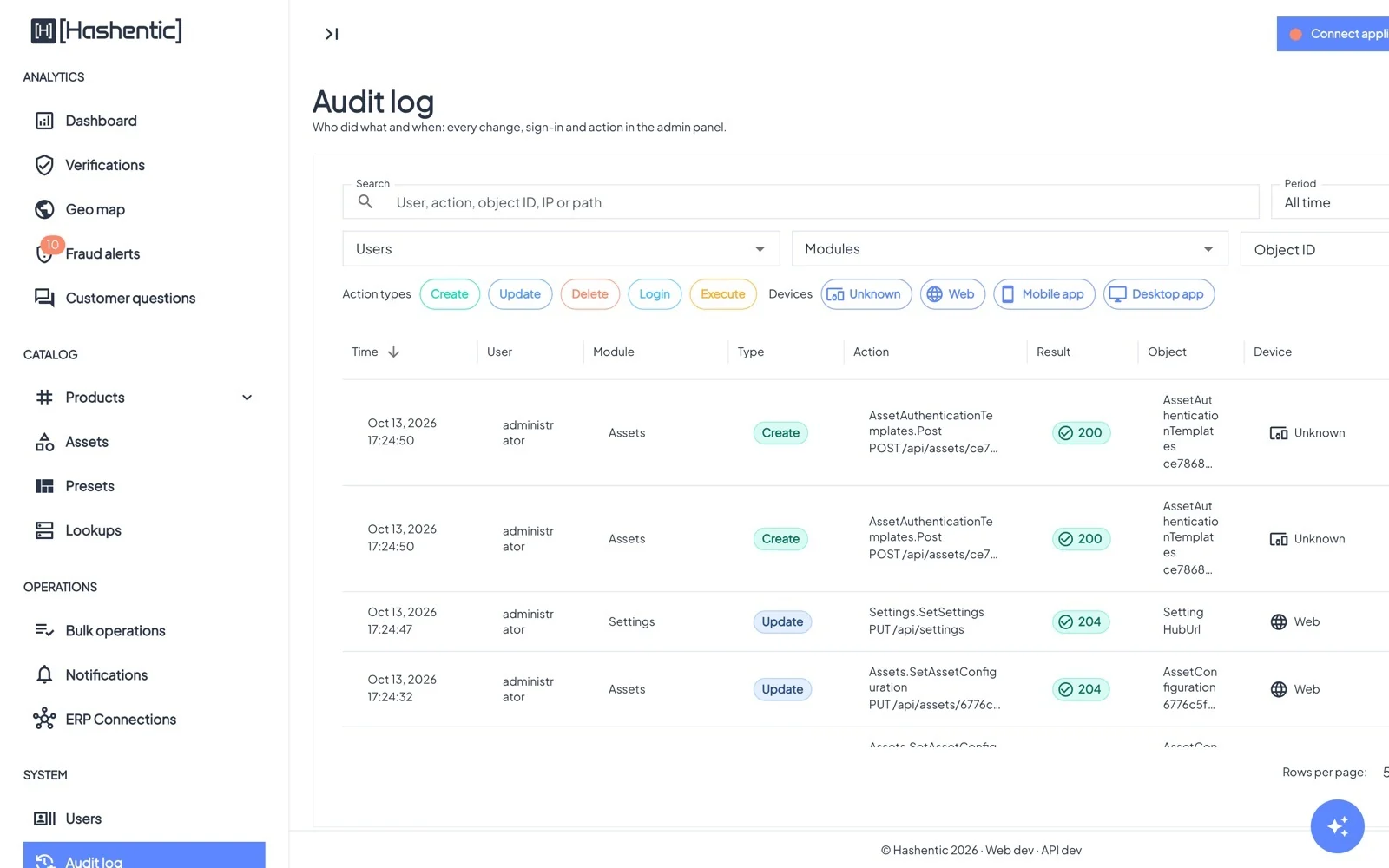
Filter by period, users, modules (Users, Settings, Assets, Products, Workflows, License, AI…), action type (Create, Update, Delete, Login, Execute), device and result. Open an entry to see the exact changes (old → new values), then jump to Show all activity of this user or Show history of this object.