Your product is in front of you. Your phone is in your hand. That is where the work should happen.
The Hashentic mobile app brings NFC tag writing, product updates and verification into one workspace. Open the product, prepare its tag and check the result from a compatible phone. For this workflow, you no longer need a separate NFC writer.
It is a practical change for teams working with physical products: the tool can travel to the item, whether it is on a desk, in a stockroom or at a point of sale.
Currently available only through the Hashentic web app with an active license.
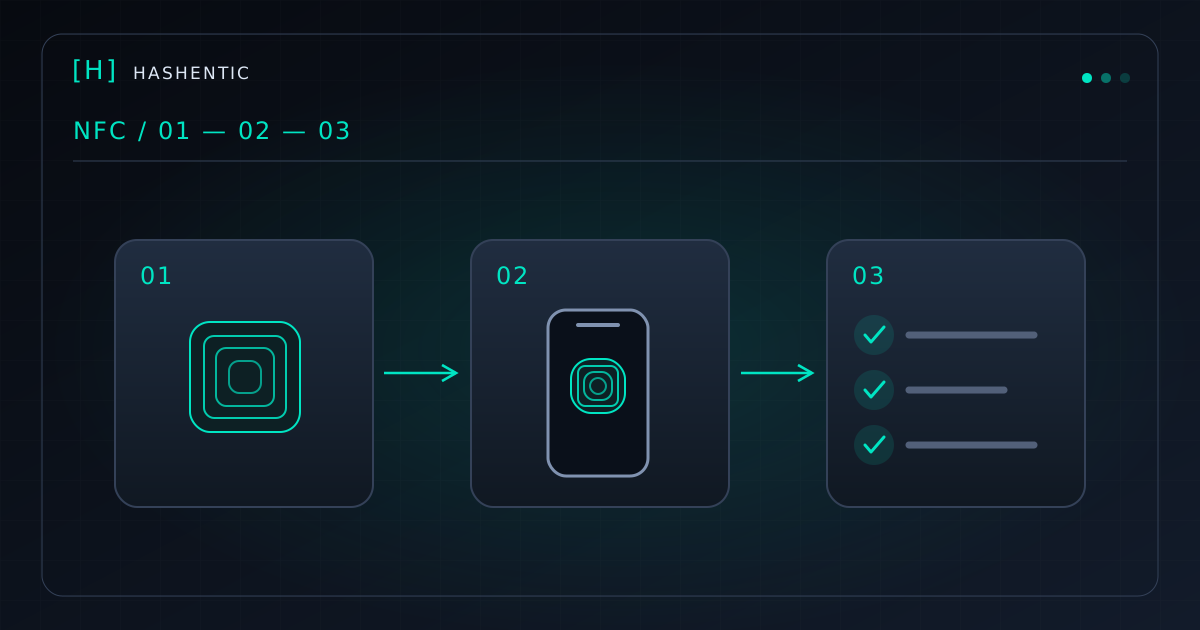
One phone, three connected steps
1. Find the product
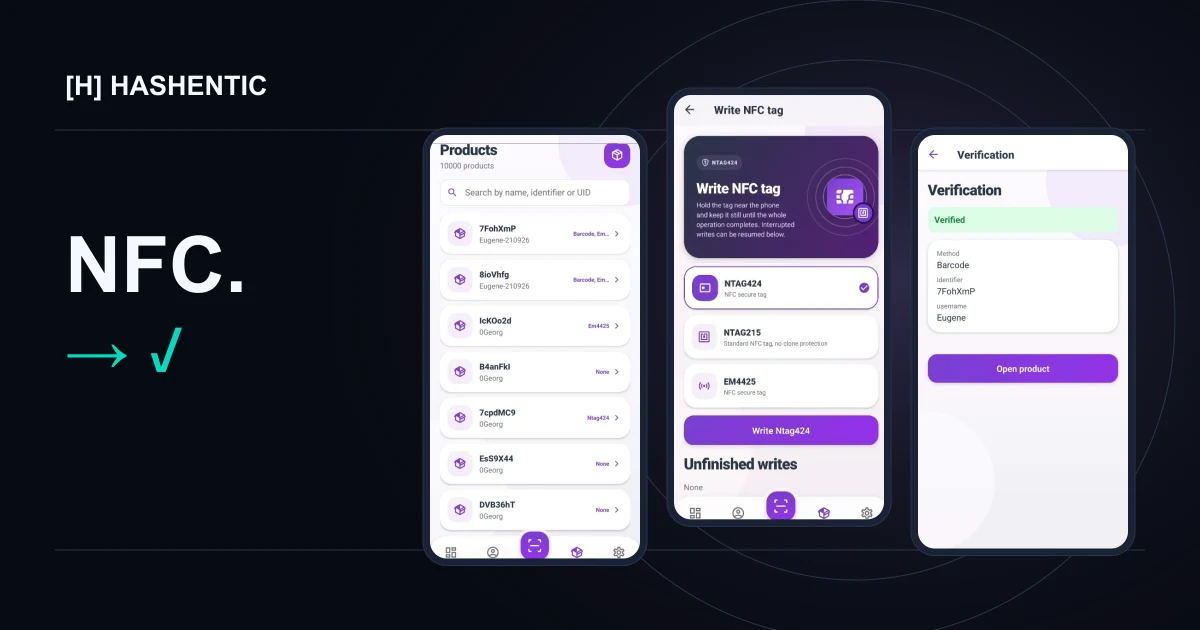
Start with the catalog. Search by name, identifier or UID, then open the record you need. Product details and identifiers stay in the same workspace as tag operations.
If your account has editing permissions, you can also update the available product fields. That gives the person handling the item a way to keep its digital record current, without moving to another device just to make an edit.
2. Write the tag
Open the NFC writing screen, choose a supported tag type and follow the prompts. Hold the tag near the phone's NFC antenna and keep it there until the operation finishes.
The app guides the writing process and checks the result. The supplied demonstration includes NTAG424, NTAG215 and EM4425 options. The tag you choose should match your product requirements and the verification method you plan to use.
The key change is the equipment: a compatible NFC phone performs the writing operation. You do not need to add a separate desktop NFC writer to this mobile workflow.
3. Verify and open the record
Use the app to read an NFC tag or scan a code. Review the result, see the method used and open the linked product record.
Writing and verification become parts of one working session. The team member preparing the product can also check what happens when it is scanned.
Screens shown in English. The verification method depends on the tag or code you scan.
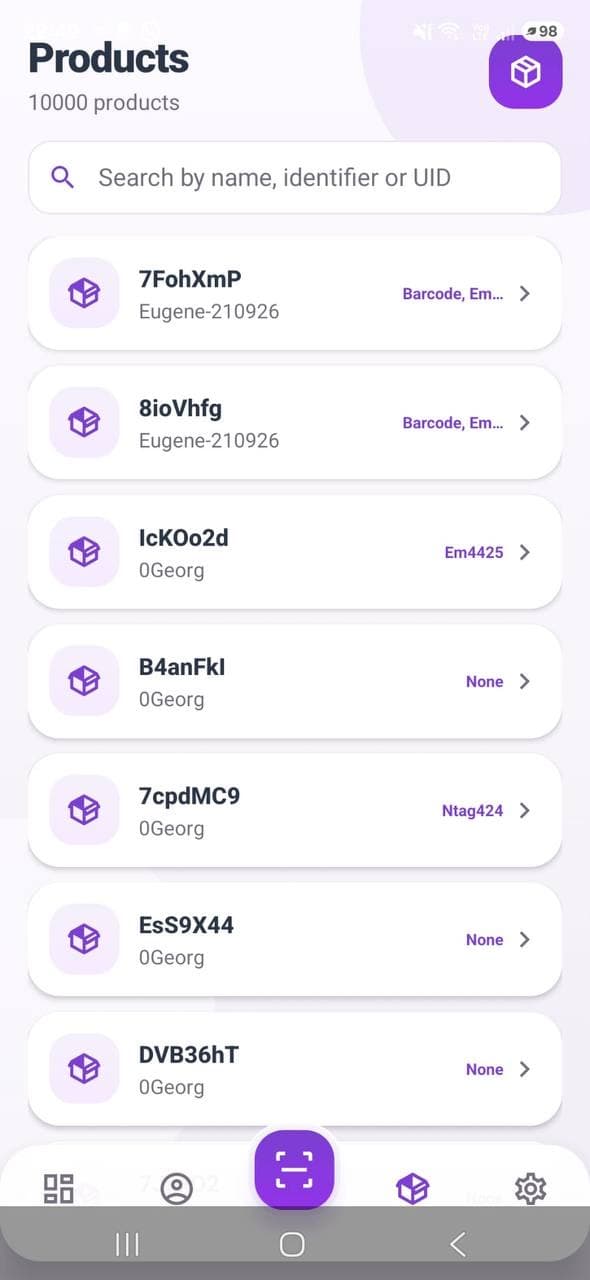
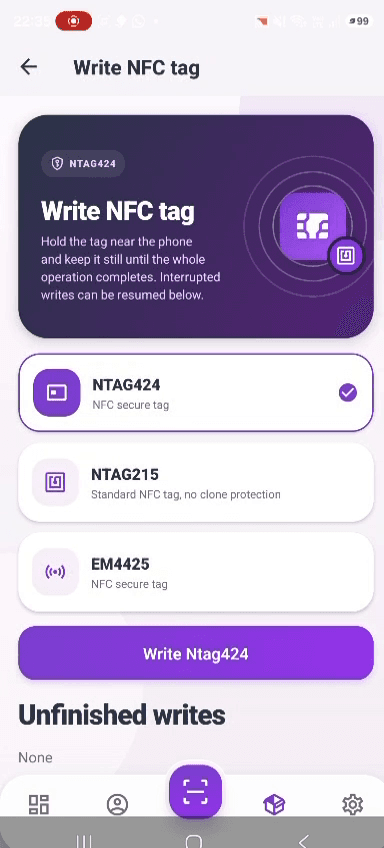
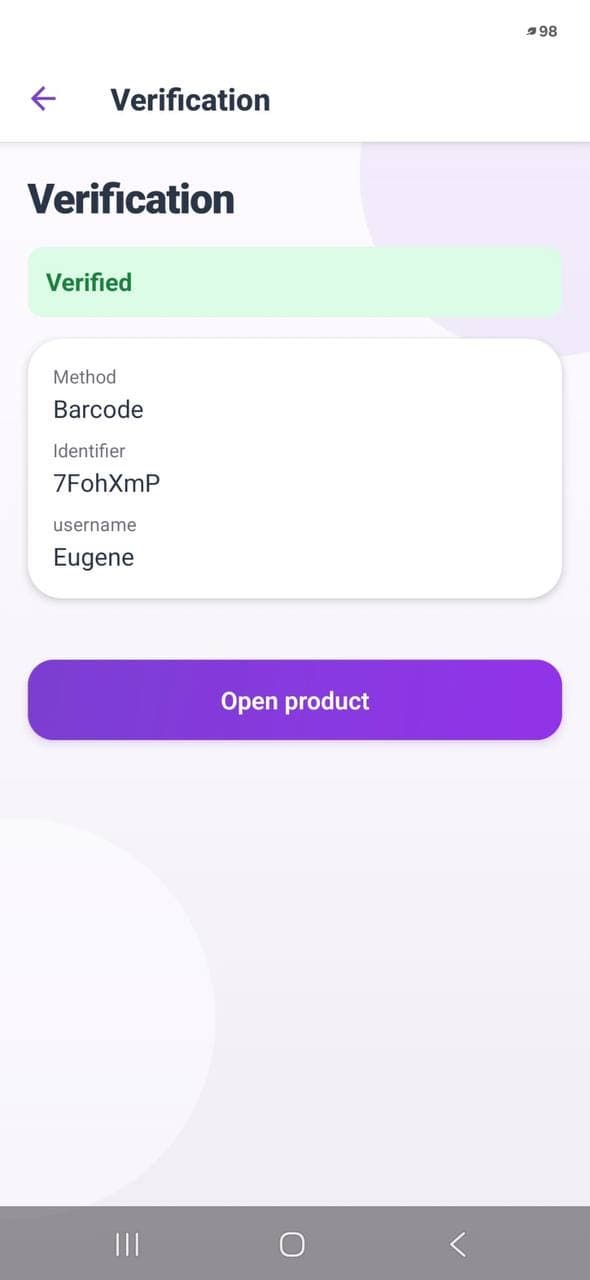
Your catalog, right where you need it.
More than a writing screen
Day-to-day product work involves more than placing data on a tag. The app also brings together:
- Product search and updates: find a record and edit the fields your account is allowed to change.
- NFC and camera scanning: read tags, QR codes and product identifiers from the same workspace.
- Saved accounts and app lock: keep workspace access close at hand and control access on the device.
- Device diagnostics: check NFC availability, collect diagnostic events and export information for support. Sensitive values are removed before those events are stored.
These features keep preparation, product maintenance and verification close to the physical item. A team can work through a small batch, prepare a sample or investigate a product record with the phone already available to them.
What you need to get started
You need an active Hashentic license, access to the web app, a compatible phone with NFC enabled and a supported tag. The mobile app is available only through the Hashentic web app. Product editing and other restricted operations depend on account permissions. Keep a network connection available for server operations.
The phone replaces the separate writer in this workflow; you still choose the right tag for the job. See the supported NFC chips for the technology options and discuss your devices and tag configuration with our team.
A clear result starts with the right method
The app shows the verification method because different scans answer different questions. A barcode or QR code can identify a product record. Secure NFC verification depends on the chip and its configuration. A successful lookup of a printed code should not be mistaken for cryptographic proof of a physical product.
For more context, read our comparison of NFC and QR for product authentication. The mobile app makes the work more convenient while keeping the verification method visible.
Bring the workspace to the product
Writing NFC tags has become a task your team can carry out with a compatible phone, alongside the product information and verification tools they need.
Explore the Hashentic mobile app to see the actual screens and a short recording of the writing flow. Access is available through your licensed web workspace. See the licensing details to get started.