You found a designer bag at a good price, or you already own one and want to be sure. No single detail settles the question. A careful check combines where the bag came from, how it is made, what its codes and papers say and, where the brand provides one, a digital check that only the brand can confirm.
This guide explains each of those checks, what it can and cannot tell you, and how to read an NFC chip in a bag with your phone.
Written by Hashentic, a provider of NFC product authentication for brands. The checks below are general: construction details, code formats and chip placement differ between brands, collections and years, and we do not describe any specific brand's markers. When in doubt, ask the brand or one of its authorised stores.
Start with the source: seller, price and receipt
The source of a bag usually tells you more than a close-up photo.
- Seller. A brand boutique, the brand's own online shop or a retailer the brand lists as authorised is the safest source. On a marketplace, look at the seller's history, reviews of the same type of item and whether the platform offers buyer protection for counterfeits.
- Price. A price far below what comparable pre-owned bags sell for is a warning sign, not a bargain. So is pressure to pay quickly or outside the platform.
- Receipt. A receipt helps when it matches the bag (model, colour, date) and comes from a store that exists. Receipts are easy to fake, so treat one as supporting evidence and, if it matters, ask the issuing store to confirm it.
- Photos. Ask for photos of the actual bag, including the inside, the hardware and any codes, rather than catalogue images.
Visual checks: stitching, hardware and materials
Compare the bag with a confirmed genuine example of the same model and year, ideally in a store. General product photos are a weak reference, because details change between production runs.
| What to look at | What may stand out on a copy | Why it is not conclusive |
|---|---|---|
| Stitching | Uneven stitch length, wandering lines, loose threads, glue at seams | Genuine bags can be repaired or worn; good copies stitch neatly |
| Hardware | Light or hollow feel, flaking plating, blurred engravings, rough zips | Hardware can be replaced on a genuine bag or upgraded on a copy |
| Materials | Plastic-like surface, strong chemical smell, stiff or peeling edges | Leather ages; finishes vary by collection |
| Logo and print | Misaligned pattern, wrong spacing or font, crooked placement | Copies of popular models are often studied closely |
| Interior labels | Blurred or crooked stamping, wrong lining | Labels can be replaced; details vary by year |
| Box, dust bag, cards | Poor print quality, misspellings | Packaging is sold separately and proves nothing on its own |
Swipe or scroll horizontally to compare columns.
A bag that passes every visual check can still be a high-quality copy. A bag with one odd detail can still be genuine. Use visual checks to decide whether to continue, not as a verdict.
Serial numbers and date codes
Many leather-goods brands mark bags with a serial number, date code or authenticity card. Formats differ by brand and period, and some brands do not use them at all. Two points matter more than any particular format:
- A plausible code is not proof. Counterfeiters copy real codes, sometimes onto many bags at once. A code that "looks right" only shows that someone knew the format.
- A missing code is not proof of a fake. Some bags never had one, newer products may use a chip instead, and codes can wear off.
If you own a genuine bag, avoid posting clear photos of its code or card online, where they can be copied.
Why visual checks and online authentication have limits
Photo-based authentication services and specialist reviewers can be useful, especially for spotting obvious copies. Their result is still an expert opinion based on the photos and reference items available to them.
Before relying on a paid online authentication, check:
- What exactly the service states: an opinion, a certificate or a guarantee.
- Whether it refunds you or pays compensation if the opinion turns out to be wrong.
- Whether the brand, the marketplace or a resale platform accepts that result.
- Which photos it requires; blurry or incomplete photos limit any assessment.
Neither a visual inspection nor a photo review can confirm what only the manufacturer knows: whether this exact item was registered by the brand. That is the gap a secure chip is designed to close.
Bags with an NFC chip: check with your phone
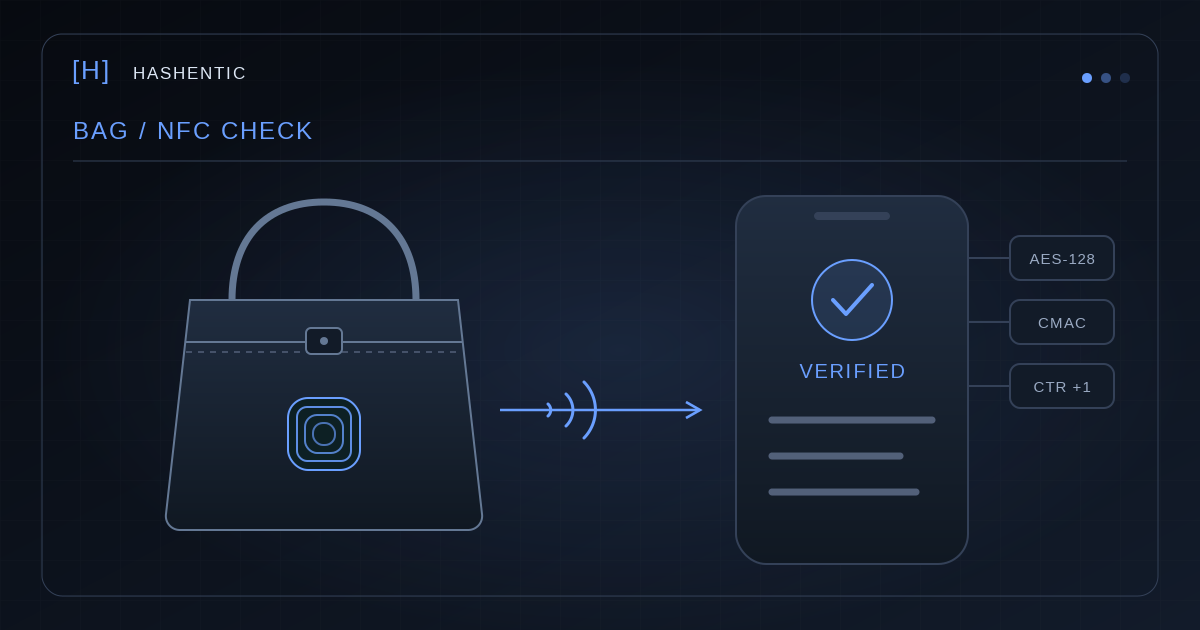
Some brands embed an NFC chip in the bag, often in the lining or an internal label, instead of or in addition to a printed code. With a phone, you can read it without installing an app on most modern models.
- Turn on NFC. On Android, NFC is usually a switch in quick settings. Recent iPhones read NFC tags without a setting.
- Find the chip. Follow the brand's instructions on the tag, card or website. Hold the top of an iPhone, or the back of most Android phones, still against that spot for a moment.
- Check the address. A link opens in your browser. Make sure the domain belongs to the brand or to the verification service the brand names. Anyone can program a cheap tag to open a convincing look-alike page.
- Read the result. It should name the product, and ideally explain what was checked.
Secure NFC and static links are different
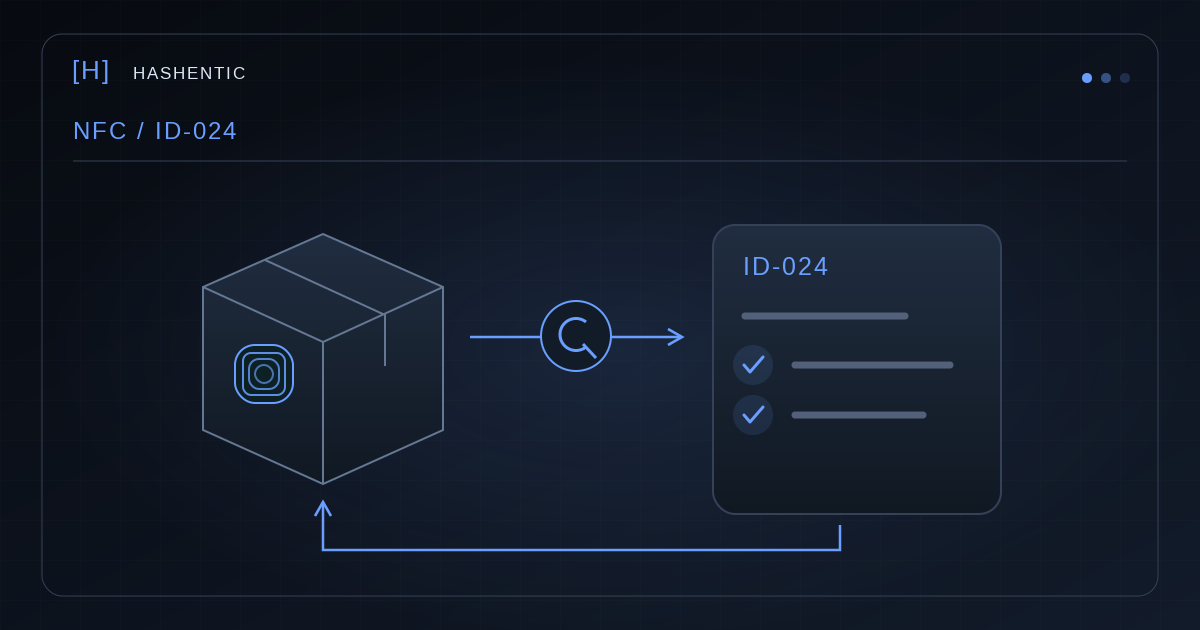
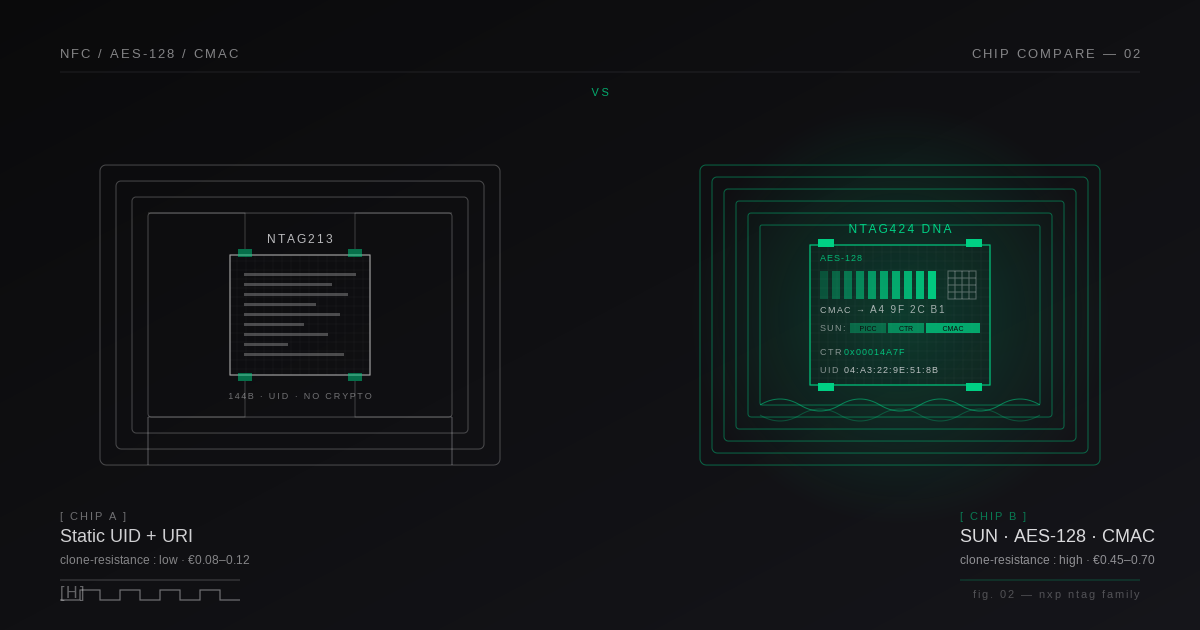
A static NFC tag or QR code always opens the same link. Copying it is easy, so a page that says "authentic" after a static scan only shows that the link exists.
A secure chip such as NXP's NTAG424 DNA uses AES-128 cryptography. On each tap it can add a fresh authentication code and a read counter to the link, which the verification server checks with the key stored for that chip. NXP describes this mechanism in its application note on dynamic messages. A copied link or a cloned chip without the key should not produce a valid new code. Hashentic also supports EM4425, which uses a different cryptographic format; see the supported-chip guide.
What a genuine result looks like
With Hashentic, a successful check of a secure tag opens the brand's verified page: the product name and the details the brand chose to show, such as model, colour, care instructions or documents. Tap the chip again and the result is checked again with a new code.
What a failed check looks like
A failed check shows a not verified page. It can appear when the chip or link is unknown, the cryptographic code is wrong, the counter does not match earlier scans, or the brand has blocked that tag or product.
One failure has a harmless cause: opening a saved or shared link again. Each tap of a secure tag produces a one-time code, so reopening an old link from your browser history is reported as already used. Tap the chip itself again. If a fresh tap still fails, stop and contact the brand's support before you pay, using the contact details on the brand's own website.
What the chip check does not prove
A successful check confirms the chip and its link to the brand's product record. It does not tell you the bag's condition, whether it has been repaired, or who owns it. It also depends on the chip staying in the bag it was made for; a well-designed attachment makes removing the chip difficult and visible. Combine the chip result with the source and visual checks above.
Checking authenticity by QR code
Many tags and cards carry a QR code. Scanning it with the camera opens a page, which is useful for product information. Because a QR code can be photographed and reprinted, a "genuine" page after a QR scan shows only that the code exists in a database. Check the domain in the same way, and do not treat a QR scan as proof on its own. Our article on NFC and QR codes explains the difference in detail.
For brands: give buyers a check they can trust
Visual guides help buyers spot crude copies, but only the brand can confirm that a specific item is one it made. A secure NFC chip in the lining, tied to an individual product record, lets a buyer check a bag in seconds, at purchase or years later on the resale market.
- NFC authentication for luxury bags and leather goods: placement in the lining, durable attachment, repair records and resale checks.
- Product authentication with Hashentic: secure NFC verification, branded result pages and what happens after a failed scan.
- NFC pilot checklist: test chips in finished bags with the phones your customers use.
Discuss a pilot with your own samples and target phones.
FAQ
What is the most reliable way to check if a bag is authentic?
Confirmation from the brand itself. That can be a check in a brand boutique or, for bags with a secure NFC chip, a phone check against the brand's own verification service. Source, construction and codes then support the result.
Can I check a bag's authenticity online?
You can send photos to an online authentication service and get an expert opinion. It is useful against obvious copies, but check what the service guarantees and whether the brand or the resale platform accepts it.
Does a serial number or date code prove a bag is real?
No. Real codes are copied onto counterfeits, and some genuine bags have no code. Treat a code as one detail among several.
My bag has an NFC chip but the check failed. Is it fake?
Not necessarily. First tap the chip itself again instead of reopening a saved link, and make sure the page belongs to the brand. If a fresh tap still fails, contact the brand's support before buying.
Do I need an app to read the chip?
Usually not. Most modern iPhones and Android phones with NFC open the verification page in the browser. The brand's instructions say where the chip is.