Secure NFC is easy to agree with in a meeting and hard to judge without your own packaging in your hand. The quickest way to find out whether it fits is to put tags on real products, scan them with ordinary phones and look at the results.
Hashentic's free trial is built for exactly that. This article turns it into a 30-day NFC authentication pilot: what to do each week, which results to expect and what happens to your account and tags when the 30 days are over.
The terms, in plain words
These are the published terms on the Hashentic licence page and in the Terms of Service at the time of writing:
- A free trial, no payment details and no automatic charge. A new account starts with the trial. It includes modules such as the mobile apps, fraud alerts and workflows, with its own limits for QR codes, NFC writes, users and product lines; the current numbers are on the licence page.
- Then the Free plan, automatically. When the trial ends, the account moves to the Free plan unless you choose a paid plan. Nothing is charged and your data stays.
- Issued tags keep working. Codes and tags you have already issued keep verifying on every plan, including Free.
- More time if you need it. You can continue with a 3-month paid pilot on Pro at 50% off; what you pay is credited towards an annual contract.
- No setup fee in the cloud. Onboarding and training are included.
- One trial per business. A business that has already had a trial starts on the Free plan.
Plans cover the software only. NFC tags come from your own supplier.
Who this pilot is for
- Brands with a counterfeiting or grey-market problem that want evidence before committing to a rollout: cosmetics, wine and spirits, apparel, accessories, electronics.
- Packaging and operations teams that need to know where a tag goes, who writes it and how long it takes per item.
- Teams comparing vendors that want to test the full flow, from tag writing to the customer's page, instead of reading a datasheet.
If you only need a link from a product to a web page, a static tag or a QR code may be enough. Our NFC vs QR comparison helps you decide before you start.
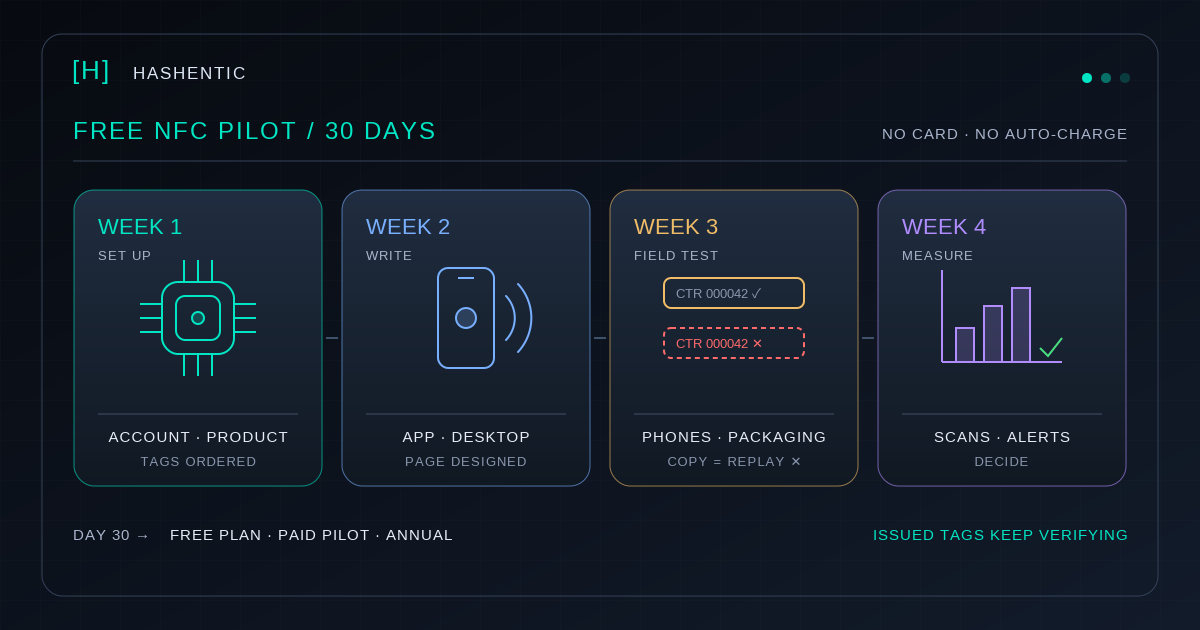
Week 1: sign up, set up one product, order tags
Start the trial. Create the account from the licence page. Invite the people who will actually handle the products: someone from packaging, someone from operations and whoever answers customer questions.
Set up one product line. Choose a single product with real packaging and add its record: name, images, the fields your customers should see. A narrow scope gives you clearer results than ten half-configured products.
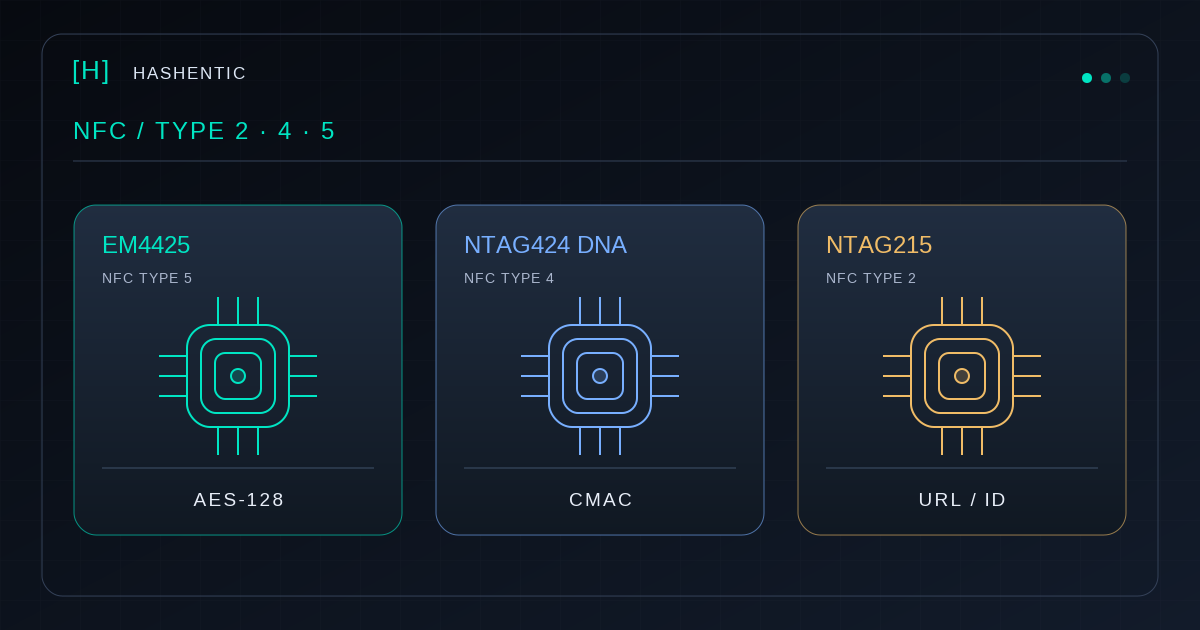
Order sample tags early, because delivery is often the slowest part of a pilot. Hashentic supports three chip types:
| Chip | What the scan proves | Use it in the pilot for |
|---|---|---|
| NTAG424 DNA | A new cryptographic message on every tap (SUN), checked by the server | Secure authentication on most phones |
| EM4425 | A cryptographic signature and a security token that rises on every use | Secure authentication, NFC Type 5 inlays |
| NTAG215 | A registered identifier, looked up by the server | Product links and information, not proof |
Swipe or scroll horizontally to compare columns.
For an authentication pilot, order NTAG424 DNA or EM4425 as the main tag, plus a few NTAG215 tags as a contrast. Ask the supplier for the finished format you would use in production (sticker, tamper label, inlay for your material), not only a loose sample. The chip comparison and the supported-chip guide explain the differences in detail.
Size the order to the trial's NFC write allowance on the licence page, with a few spares for placement tests.
Week 2: write the tags and design the verification page
Write the tags. With the Hashentic app on iPhone or Android, a compatible phone writes the tag; no separate writer is needed. For a batch at a desk, the Desktop utility for Windows and macOS works with a USB NFC reader. See how tag writing works and which app fits where.
Time the work: how long does one tag take, including finding the product and attaching the tag? That number matters more for the rollout decision than any datasheet value.
Design the verification page. This is what your customer sees after a tap: your logo, colours, product information and the result of the check. Every plan includes the branded verification page. Set it up in the languages of your target markets and keep the message for a failed check calm and clear, with a way to contact you.
Check every written tag once, through the same route a customer will use: tap it with a phone, without the app, and confirm that it opens the right product with the expected result.
Week 3: field test with real phones, packaging and placement
Now take the products out of the office.
- Phones. Test with the phones your customers and staff actually carry: several iPhone and Android models, with and without cases. Record the model for every failure.
- Placement. Try two or three positions on the finished package. Note how quickly a person who has never seen the product finds the tap point, and whether a small "tap here" mark helps.
- Conditions. Transport, opening, cold storage or bending, if they are part of the product's life.
Then run the replay test. This is the moment that shows the difference between secure NFC and a simple link:
- Tap a secure tag (NTAG424 DNA or EM4425) and let the verification page open. The check passes.
- Copy the URL from the browser's address bar and send it to a colleague.
- Your colleague opens the copied URL. The server has already accepted that message, so the check fails and the page reports that this data has already been verified.
- Tap the real tag again. It produces a new message and passes.
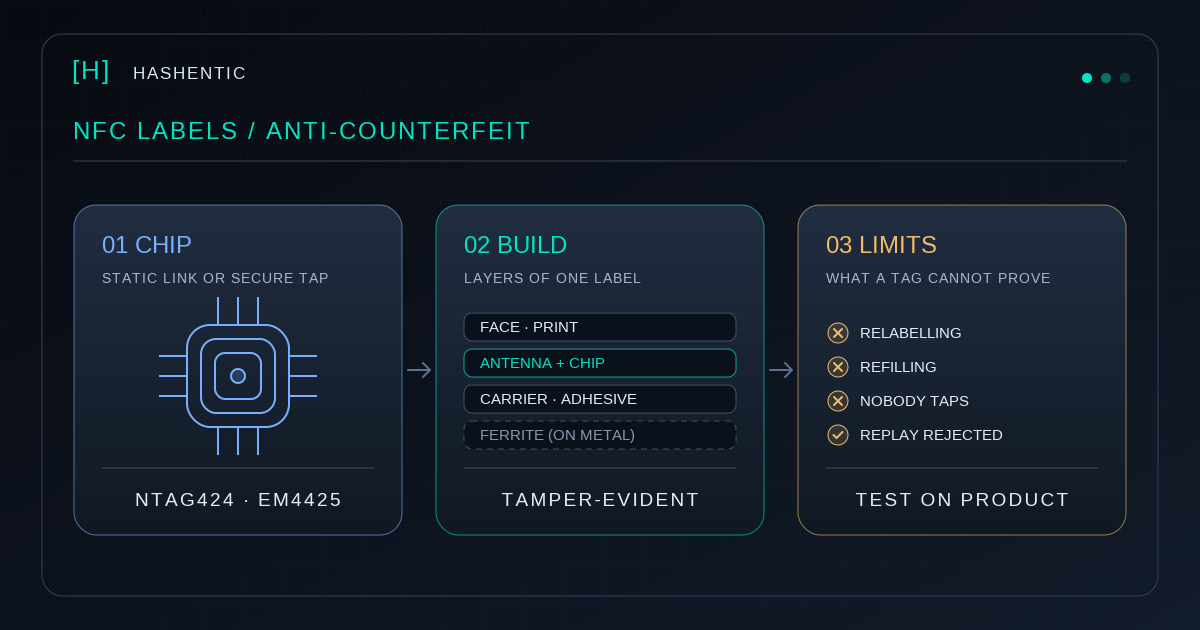
Repeat steps 1 to 3 with an NTAG215 tag. The copied link still opens the product page, because NTAG215 carries a registered identifier, not a new message per tap. Hashentic does not present that lookup as a cryptographic check. Seeing both results side by side is the clearest way to explain secure NFC to colleagues. The mechanism is explained in NTAG424 DNA and SUN.
Week 4: measure and decide
Open the scan history and analytics in the admin panel and review the month:
- Scans: how many, from which devices and locations.
- Failed and suspicious scans: replayed messages, counter regressions and unknown tags. The trial includes the fraud module, which raises alerts for patterns such as counter regression; see analytics and fraud review.
- Customer flow: how long it took testers from picking up the product to understanding the result, and where they got stuck.
- Operations: time per written tag, tags that had to be rewritten or replaced.
Then meet with packaging, operations and support and make the decision against criteria you agreed in week 1.
Acceptance criteria for a 30-day pilot
Set your own targets before you collect results. The table gives a starting point; it does not contain benchmarks from other deployments.
| Criterion | How to check | Pass when |
|---|---|---|
| Genuine tap verifies | Tap each written tag on the target phones | Every tag opens the correct product with a passed check |
| Copied URL is rejected | Replay test from week 3 | The second use of a URL fails on every secure tag |
| Tap point is found | Testers who have not seen the product before | Your agreed share find it without help |
| Phone coverage | List of tested models | No common model in your market fails consistently |
| Writing is practical | Time per tag, rework count | Fits the time your packing process allows |
| Failure is understandable | Show a failed result to a tester | They know what it means and how to contact you |
| Alerts reach someone | Trigger a replay or counter regression | The alert is visible and someone owns the follow-up |
Swipe or scroll horizontally to compare columns.
For a broader checklist, covering key management, exception handling, production checks and support workflows, use our NFC pilot checklist. It complements this plan rather than repeating it.
What happens after day 30
You have three options, and none of them happens without your decision:
- Do nothing. The account moves to the Free plan. Nothing is charged, your data stays, and the tags you wrote keep verifying. The Free plan has monthly limits and a "Verified by Hashentic" badge on the verification page; current limits are on the licence page.
- Extend with a paid pilot. If 30 days was too short, for example because tags arrived late or a retailer test is still running, take 3 months on Pro at 50% off. The amount is credited towards an annual contract.
- Go annual. Choose the plan that matches your volumes. Products, tags and settings stay in place.
Frequently asked questions
Is the NFC pilot really free?
Yes. The trial needs no payment details and has no automatic charge. You pay only for the tags you buy from your supplier.
Do the tags stop working when the trial ends?
No. Codes and tags you have already issued keep verifying on every plan, including Free.
Are NFC tags included?
No. Plans cover the software. Use compatible NTAG424 DNA, EM4425 or NTAG215 tags from your own supplier.
Do customers need an app to verify a product?
No. A phone that reads NFC URL tags opens the verification page in its browser. The Hashentic app is for staff who write and manage tags.
Can we run a second trial for another brand?
Each business is entitled to one trial. A business that has already had one starts on the Free plan; if you need more time, the paid pilot is the intended route.
Start your free pilot
Pick one product, order a handful of secure tags and give it 30 days. You will know whether secure NFC works on your packaging, with your customers' phones, before you sign anything.
Start the free trial on the licence page, or talk to us first if you want help choosing the tag and placement. For the full customer flow, see product authentication.